
微信小程序代开发流程
服务商在微信开放平台注册
服务商在微信开放平台注册并创建一个第三方平台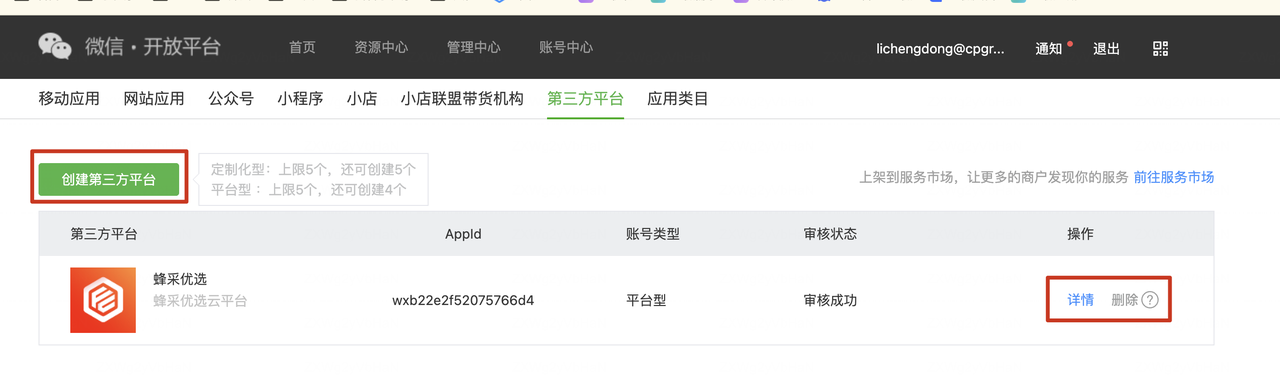
申请一个普通小程序,并在开放平台绑定为“开发小程序”,这个小程序专门用于后续的模版开发与调试。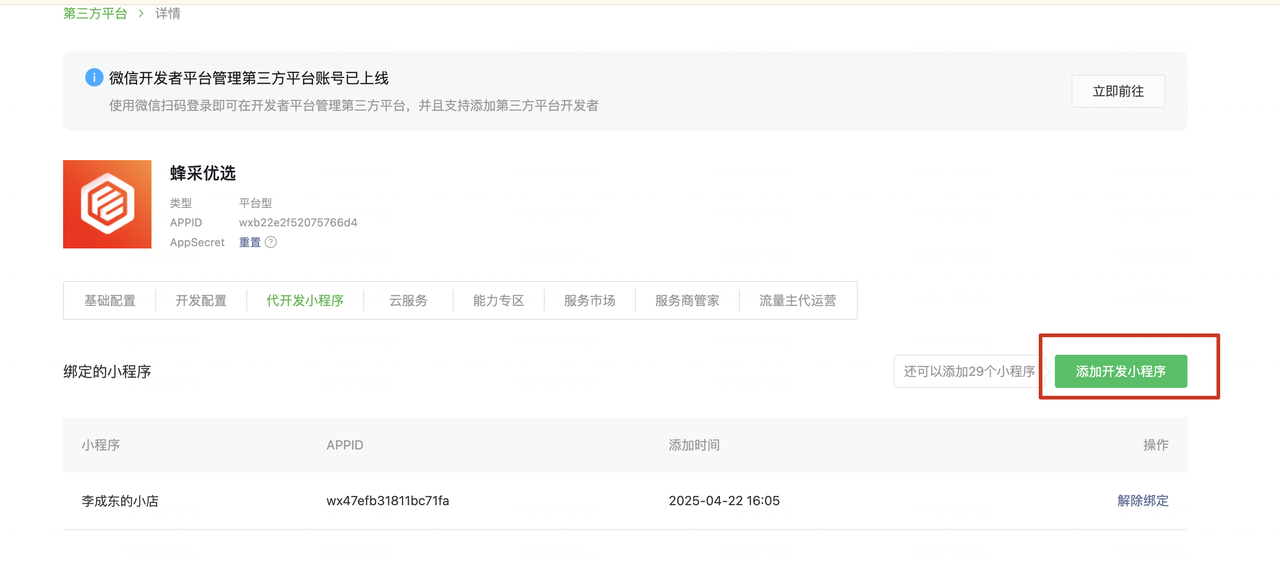
开发并上传小程序模版
服务商使用“开发小程序”的账号登录微信开发者工具。像开发普通小程序一样进行模板的编码。
从开发者工具上传,这份代码会先存入草稿箱,服务商可以将其添加至自己的小程序模板库,并得到一个全局唯一的模板ID(Template ID)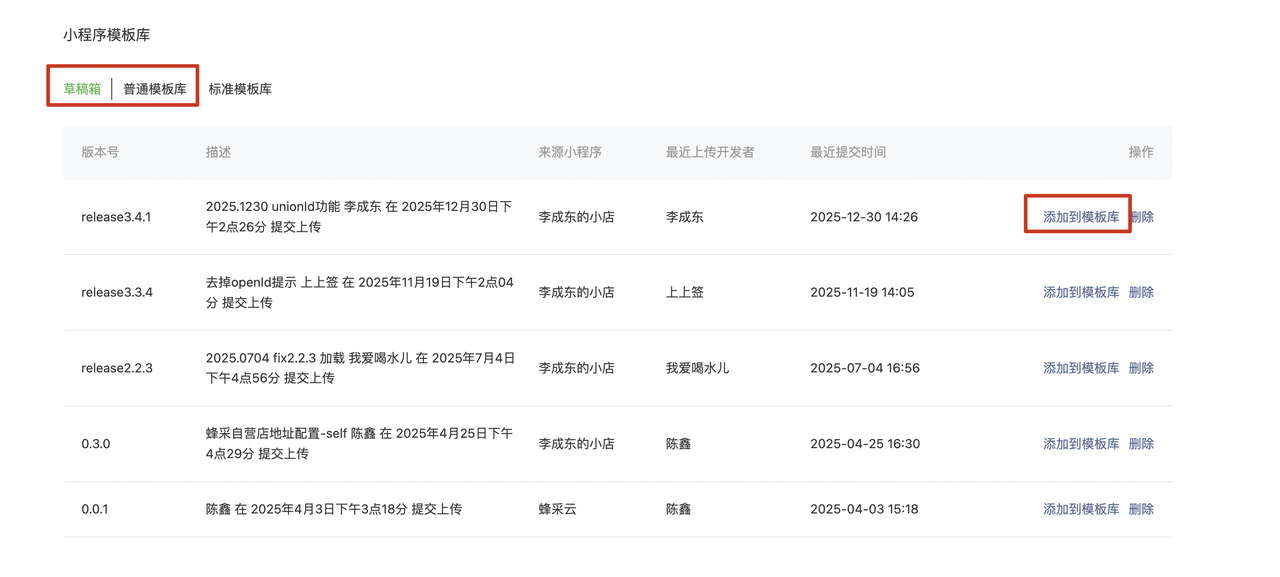
商家授权
服务商在开放平台添加的权限集
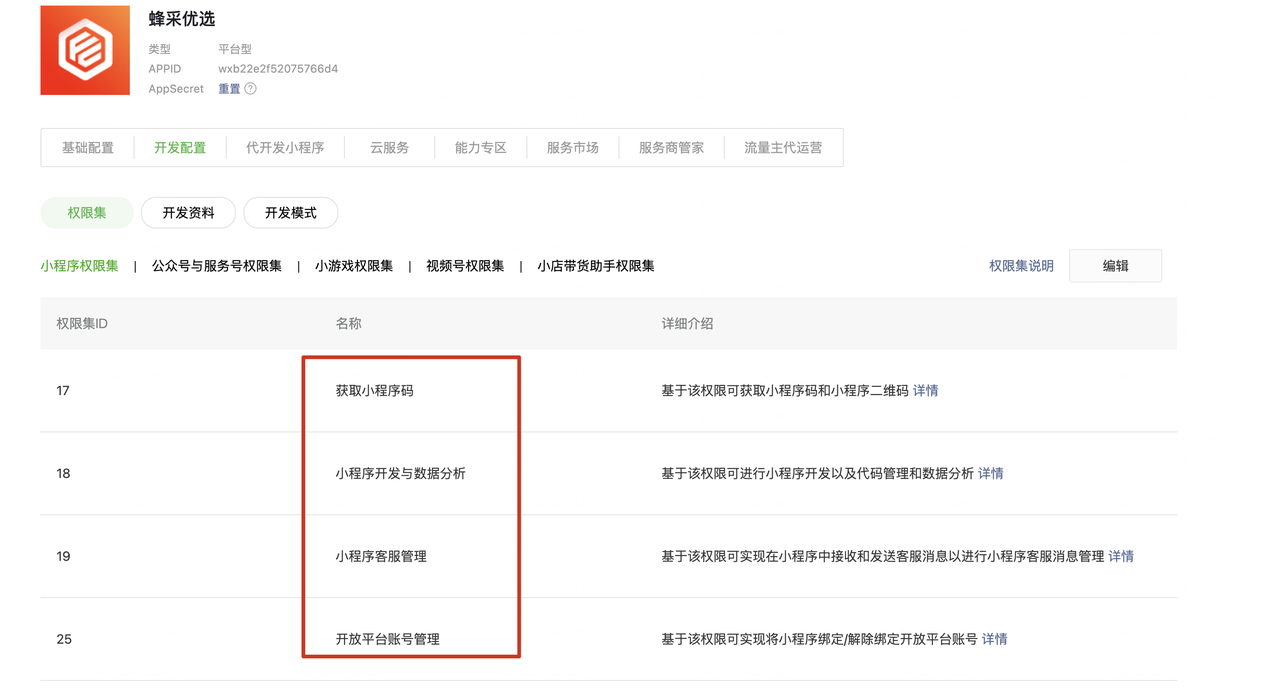
最终是为了通过接口生成的二维码,让客户小程序的管理员扫码授权,将权限授权给服务商。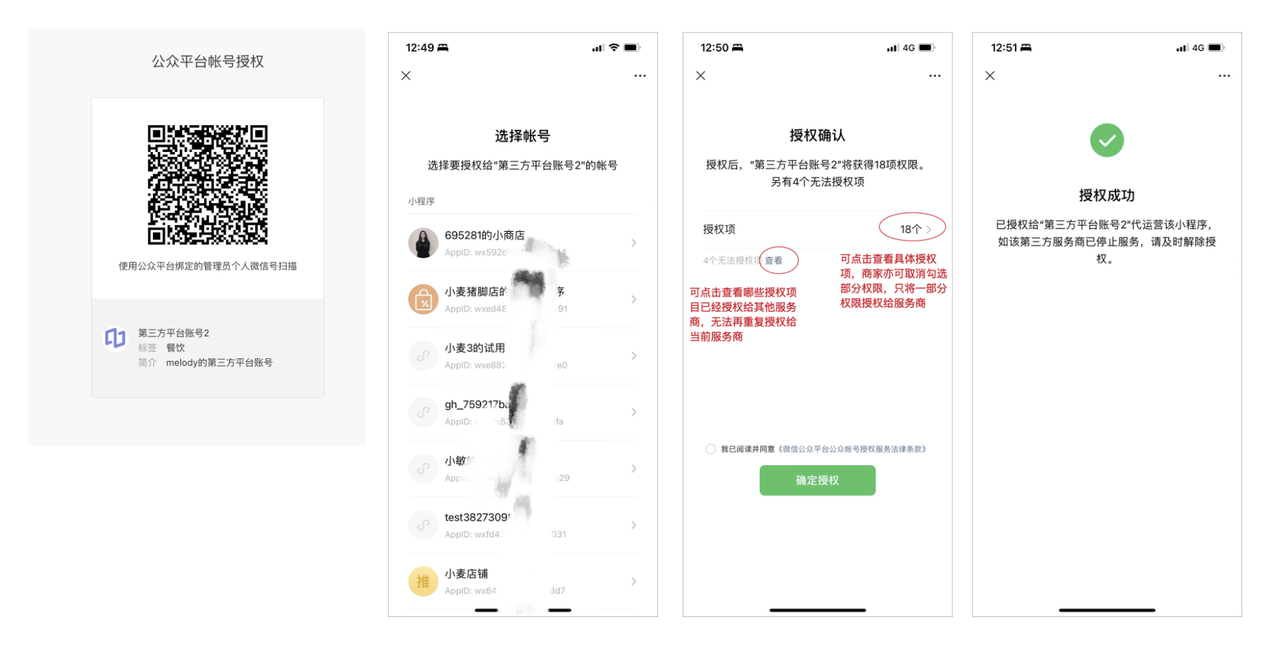
获取component_verify_ticket(验证票据)
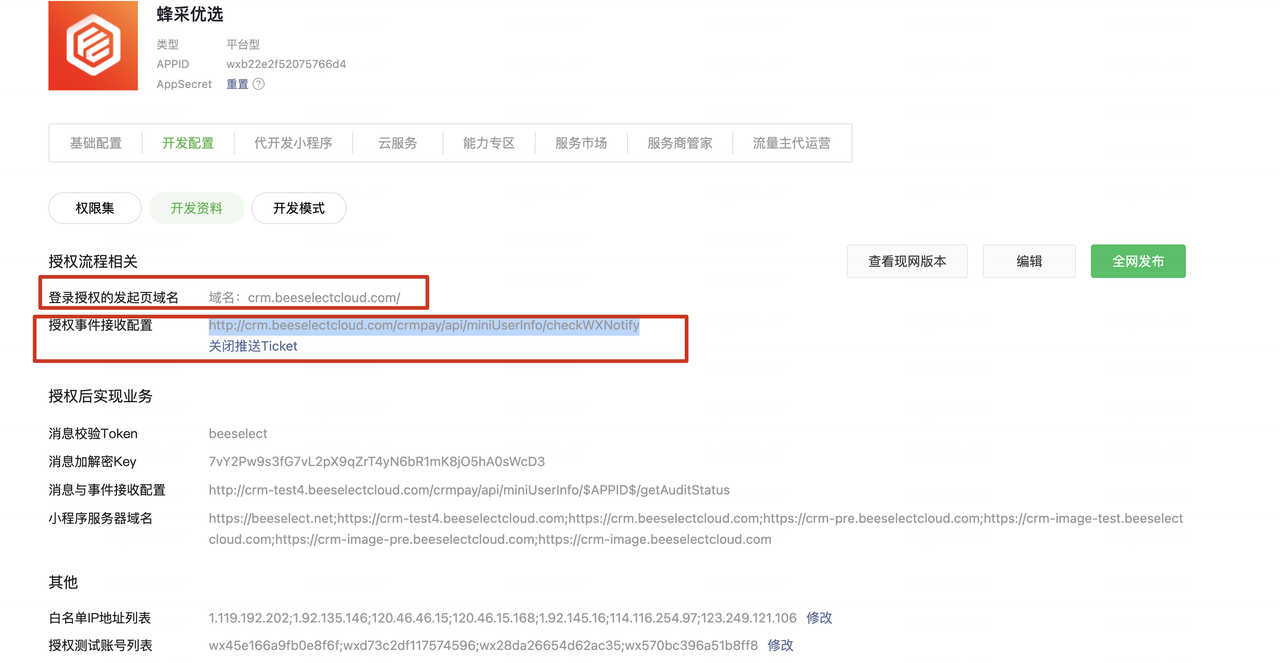
获取component_access_token(令牌)
获取预授权码
配置授权链接
https://developers.weixin.qq.com/doc/oplatform/Third-party_Platforms/2.0/api/Before_Develop/Authorization_Process_Technical_Description.html
最终是为了获取客户授权完后返回的auth_code和expires_in(有效期)
获取authorizer_refresh_token
https://developers.weixin.qq.com/doc/oplatform/openApi/ticket-token/api_getauthorizeraccesstoken.html
部署代码
只能通过接口提审客户的小程序,发布客户的小程序。
需要自己开发页面。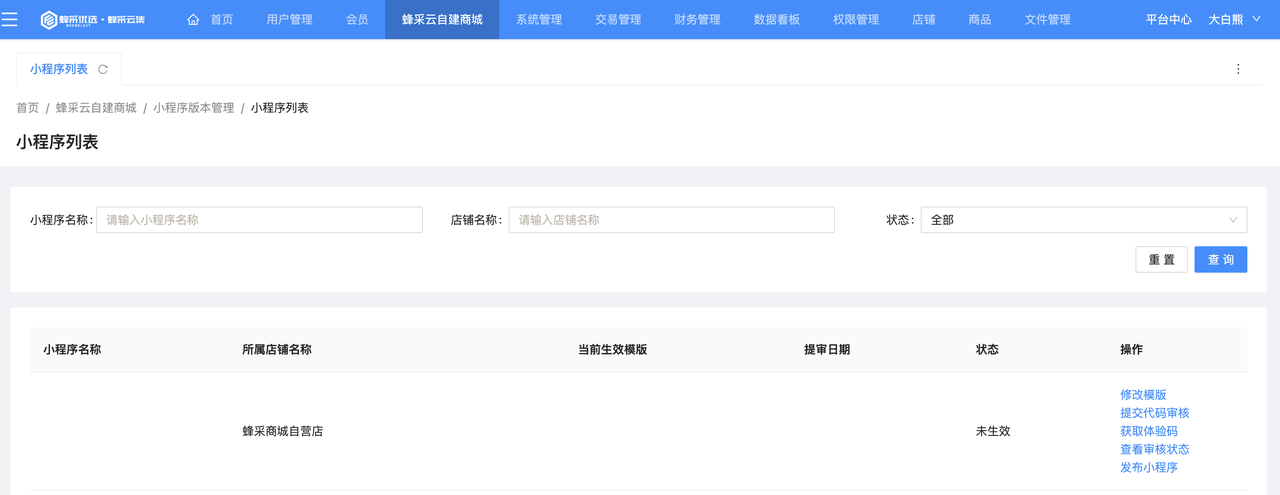
本博客所有文章除特别声明外,均采用 CC BY-NC-SA 4.0 许可协议。转载请注明来自 liang yong gang!
 微信
微信 支付宝
支付宝